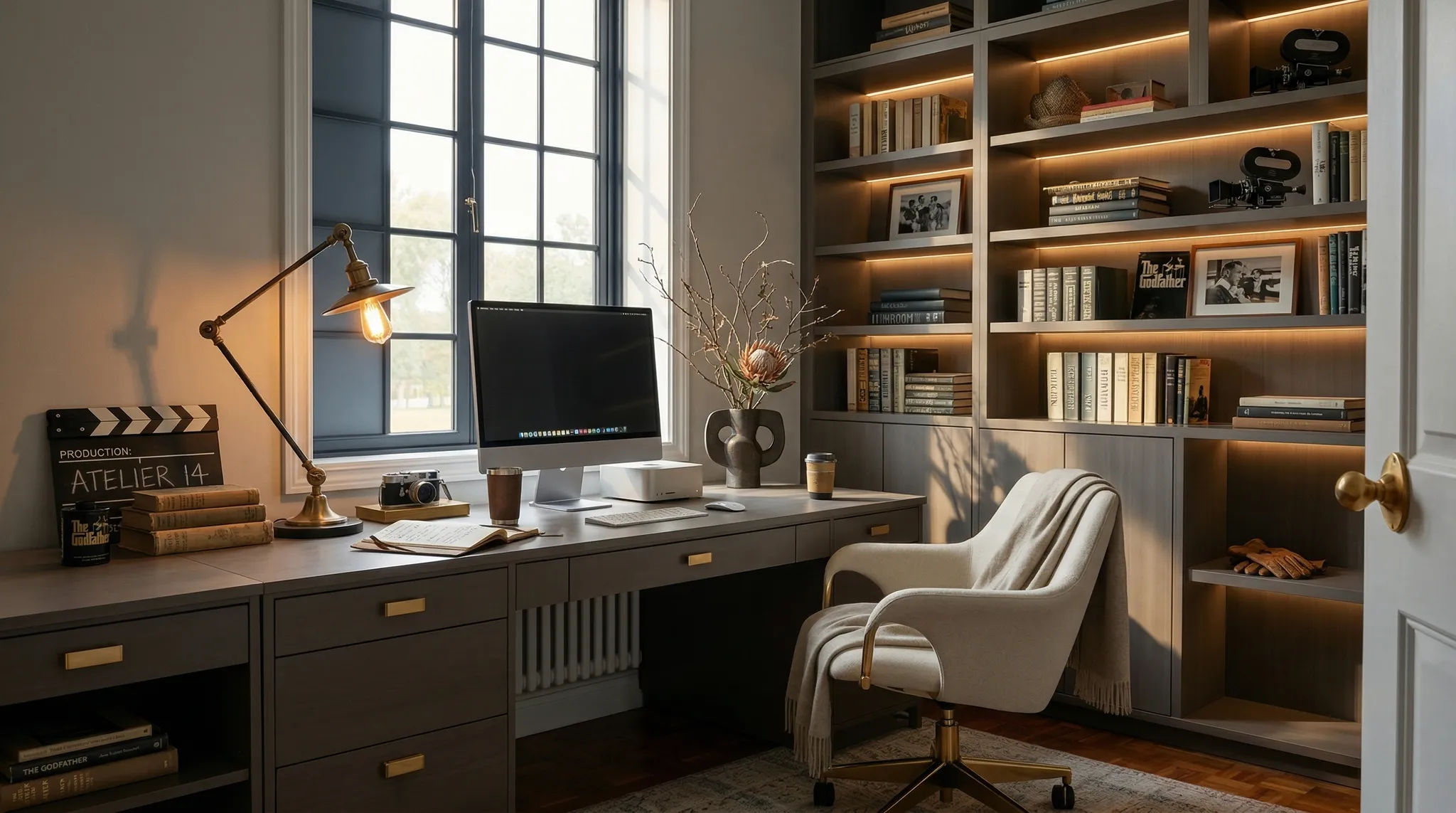
Stop modelling: transform your interior design workflow
Find out how Quebec interior designers can make better use of their time and creativity by adopting new 3D visualization methods.
In the fast-paced world of interior design in Quebec, the race for innovation and efficiency never stops. Client expectations are shifting, deadlines are getting shorter and the competition is fiercer than ever. At the heart of all this, one process has long been seen as unavoidable, but also as a colossal time sink: traditional 3D modelling.
What if we told you it’s time to stop modelling? Not to stop creating beautiful concepts or visualizing stunning spaces, but to stop the most time-consuming, repetitive and technical parts of manual modelling. The idea isn’t to throw away the skills you’ve built, but to take them further and elevate them with tools that let you focus on what really matters: creativity, design and the client experience.
This article explores why and how interior design professionals, kitchen designers and architects in Quebec can radically change the way they approach project visualization. Get ready to redefine your workflow and unlock creative potential you didn’t know you had.
The Weight of Traditional Modelling: A Brake on Creativity and Profitability?
For decades, 3D modelling has been the cornerstone of design project presentations. It brings ideas to life, validates concepts and wins client approval. But the road to get there is often full of obstacles and constraints that can weigh heavily on your productivity and, by extension, on your profitability.
Here are some of the major challenges of traditional 3D modelling:
- Exorbitant time consumption: Every project, every change, every iteration takes hours, even days, of modelling work. Building custom objects, adjusting textures, fine-tuning the lighting: all these tasks add up quickly.
- A steep learning curve and keeping skills current: 3D modelling software is complex. Mastering tools like SketchUp, AutoCAD, Revit, 3ds Max or Blender takes a considerable investment of time and training. Keeping those skills up to date is also a constant challenge.
- Repetitive tasks: How many times have you had to model a standard kitchen, recurring pieces of furniture or similar architectural details from one project to the next? These repetitive tasks can be tedious and unrewarding.
- The high cost of software licences and computer hardware: Professional software is expensive, and running it well often requires an investment in powerful hardware (graphics cards, processors).
- Limited iterations: With time and budget constraints, it’s often hard to offer a client multiple variations of the same concept. This can hold back creativity and leave design opportunities unexplored.
- Attention pulled away from pure design: By spending too much time on the technical side of modelling, designers risk drifting away from their core work: design, aesthetics, functionality and the user experience.
These challenges aren’t mere irritants; they can directly affect your ability to take on more projects, innovate, maintain healthy margins and, ultimately, avoid burnout. For interior designers in Quebec, where excellence and efficiency are major competitive advantages, exploring new avenues is a must.
The Age of Smart Solutions: Redefining the Visualization Process
The phrase “stop modelling” doesn’t mean giving up on 3D, but rather rethinking what you model and how you do it. It’s about moving from an approach where every detail is created by hand to one where smart tools and automation take over the repetitive, technical tasks.
The goal is clear: free up your time and energy for the most creative and strategic phases of your work.
In practical terms, here is what you can consider to stop modelling, or cut back on drastically:
- Generic, repetitive elements: No more modelling every chair, table and light fixture from scratch, unless it’s a unique custom design. That’s what 3D model banks and object libraries are for.
- The basic structure of spaces: If a client gives you 2D plans, don’t waste time remodelling them entirely in 3D. Tools can import that data and generate a base quickly.
- Multiple variations of the same concept: Instead of modelling every flooring option or wall colour, use solutions that let you quickly generate renders with different finishes.
- Unnecessary detail at the concept stage: At the start of a project, a smart sketch or a very simple 3D model may be enough. Technical detail should only come later, and even then, it can be heavily assisted.
We are now in the age of smart solutions, platforms that combine the power of AI with design expertise. They let you focus on design intent, composition, materials and mood, leaving the machine to handle the photorealistic renders.
Artificial Intelligence at the Designer’s Service: The Rendering Revolution
This is where artificial intelligence (AI) comes in as a real game-changer. AI rendering platforms are transforming the way designers approach 3D visualization. They don’t replace your talent as a designer, but they exponentially increase your ability to produce high-quality visuals, and at lightning speed.
How do AI rendering platforms work?
The principle is simple but revolutionary: instead of spending hours building a detailed 3D model and then texturing and lighting it, you give the AI a simpler starting point:
- 2D sketches or floor plans.
- Basic 3D models or massing sketches.
- Text descriptions of your vision.
Thanks to advanced algorithms and a vast database of images and styles, the AI can generate photorealistic renders, apply textures, adjust the lighting and create moods that match your vision.
The practical benefits for design professionals in Quebec:
- Drastically shorter rendering times: What used to take days can now be done in a few minutes or a few hours. This speed accelerates the whole design cycle.
- Unmatched visual quality: AI can produce strikingly realistic renders, often indistinguishable from real photographs, impressing your clients and reinforcing your professionalism.
- Unlimited exploration of variations: The speed of generation lets you experiment with a wide range of materials, colours, configurations and styles in record time. You can present several detailed options to your clients with no extra effort.
- Photorealism for everyone: Even small and medium-sized design firms that don’t have the resources to hire a full-time 3D modeller or invest in costly render farms can now access cutting-edge visuals.
- A focus on creativity: By relieving designers of technical and repetitive tasks, AI tools let them refocus on concept, innovation, problem-solving and the client relationship. That is where a designer’s real added value lies.
Platforms like Atelier 14 are at the forefront of this transformation, giving interior designers and kitchen designers an intuitive way to generate high-quality AI renders from their existing 2D plans. It’s an invitation to rethink your workflow and embrace a more agile, more productive era of design.
Practical Strategies to “Stop Modelling” Effectively
Adopting this new approach means adjusting your workflow, but the benefits are well worth it. Here are practical strategies for bringing this philosophy into your practice:
1. Take a hybrid approach
There’s no question of throwing out all your 3D software. Use it for what it does best: building complex, project-specific geometry, importing architectural plans or refining precise details. Then hand the final render and the exploration of moods over to AI. For example, build the basic structure of a kitchen in your usual software, then use AI to generate visuals with different cabinet finishes, countertops and backsplashes.
2. Master the basics of sketching and annotation
To communicate effectively with an AI, or to provide a base for minimal modelling, clear intentions are essential. Develop your sketching skills (even digital ones) and your plan annotation skills. The more precise your inputs (even simple ones), the more relevant the AI’s outputs will be.
3. Make use of existing 3D model banks
Why model a generic table or sofa when thousands of high-quality models are available online (3D Warehouse, TurboSquid, etc.)? Bring these resources into your workflow for non-custom elements. It will save you precious time.
4. Learn AI rendering tools
The smartest investment you can make today is learning to use AI rendering platforms. They are generally designed to be intuitive. Take time to explore their features, understand how to optimize your prompts and master their settings to get the results you want.
5. Put design intent ahead of technical perfection
Instead of focusing on millimetre-perfect 3D models from the earliest stages, concentrate on conveying the mood, functionality and overall aesthetic. AI can then “dress” that intent with astonishing realism.
Comparison Table: Traditional Modelling vs. AI-Assisted Workflow
| Feature | Traditional Modelling | AI-Assisted Workflow (e.g., Atelier 14) |
|---|---|---|
| Production time | Long (hours to days per render) | Very fast (minutes to hours per render) |
| Upfront cost | High (software licences, powerful hardware) | Moderate to low (subscriptions, cloud access) |
| Skills required | Advanced (mastery of complex software) | Intermediate (understanding the tools, ability to sketch) |
| Flexibility/Iterations | Limited by time and cost | High, lets you explore many variations |
| Render quality | Excellent (given expertise and time) | Excellent (consistent photorealism) |
| Designer’s focus | Technical (geometry, textures, lighting) | Creative (concept, mood, materials, client relationship) |
| Updates | Manual (every change takes time) | Fast (new renders generated with minor changes) |
By adopting these strategies, you don’t stop being a 3D designer; you become an augmented designer, able to produce more, better and faster.
The Impact on Your Practice in Quebec: Greater Competitiveness and Creativity
For interior design, kitchen design and architecture professionals in Quebec, adopting this “stop modelling” approach isn’t just a matter of efficiency; it’s a major competitive advantage.
- Meeting the expectations of today’s clients: Clients today are used to speed and visual quality. Being able to show them photorealistic renders in record time builds their confidence and satisfaction.
- Standing out in the market: In a dynamic market like Quebec’s, innovation is key. Designers who integrate AI technology position themselves as forward-thinking leaders who can offer a superior client experience.
- Increasing profitability: By drastically reducing the time spent on modelling, you can take on more projects, optimize your margins and focus your efforts on higher-value tasks.
- Unleashing creativity: Imagine the time you could devote to exploring new trends, researching innovative materials or digging deeper into the psychology of space, instead of fine-tuning 3D models. It’s a real boost for your professional and personal growth.
- Better collaboration: Fast, high-quality renders make it easier to communicate with clients, contractors and other trades, minimizing misunderstandings and costly mistakes.
The future of design isn’t about working harder, but about working smarter. “Stop modelling” isn’t an invitation to do nothing, but to strategically reallocate your time and talent. It’s an opportunity to reaffirm your role as a visionary, focus on the art and science of space planning and let technology take care of the technical side.
Conclusion
The message is clear: it’s time to rethink your relationship with 3D modelling. “Stop modelling” doesn’t mean giving up on visualization, but embracing a more efficient, more creative and more profitable method. By delegating repetitive, technical tasks to smart tools, you free up precious time and considerable energy to focus on the very essence of your profession: creating exceptional spaces that improve your clients’ lives.
AI rendering technologies, like those offered by Atelier 14, aren’t a threat to your expertise but a powerful extension of your abilities. They are the bridge to a future where design is more agile, more innovative and more rewarding.
Ready to transform your approach and put creativity back at the centre? Explore the possibilities of AI rendering solutions. Find out how Atelier 14 can help you push the limits of your productivity and your creative vision by visiting our pricing page. The future of design is already here, just a click away.